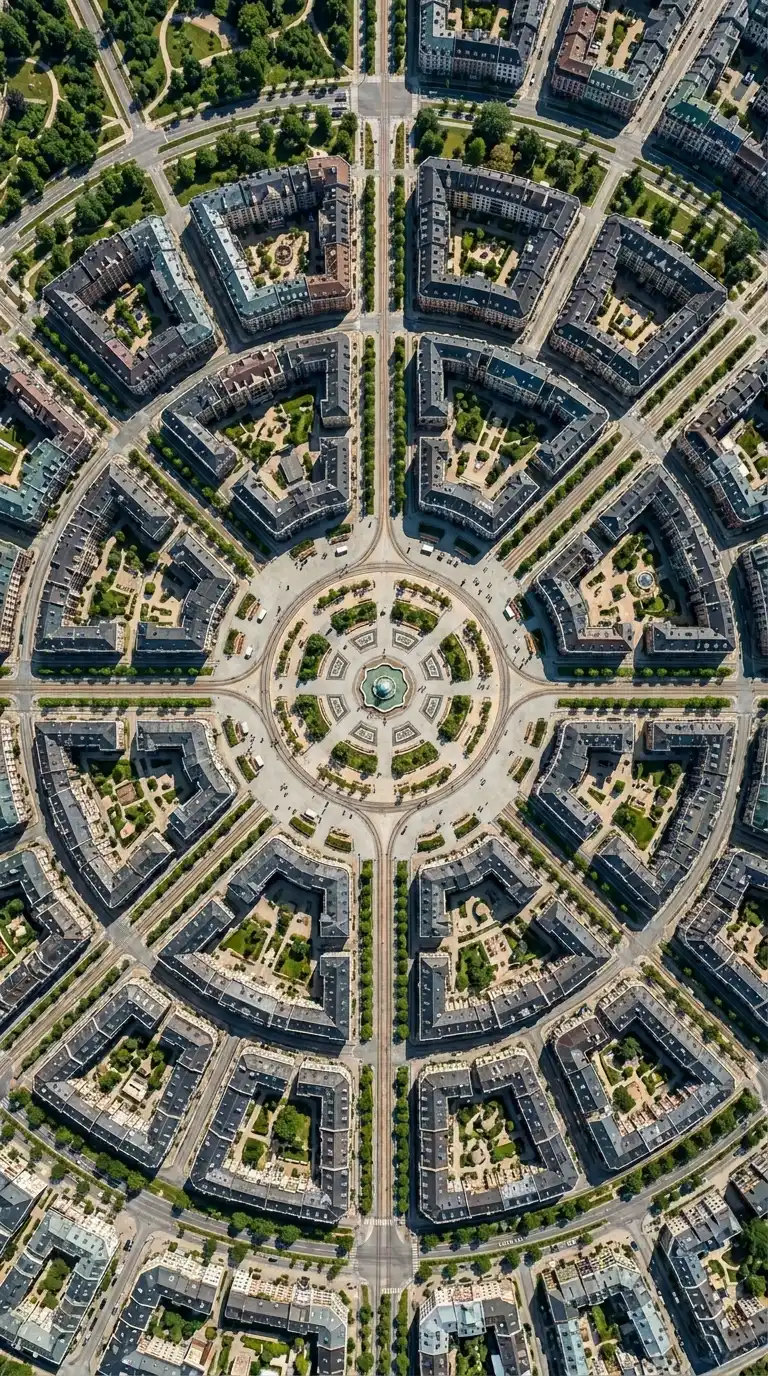
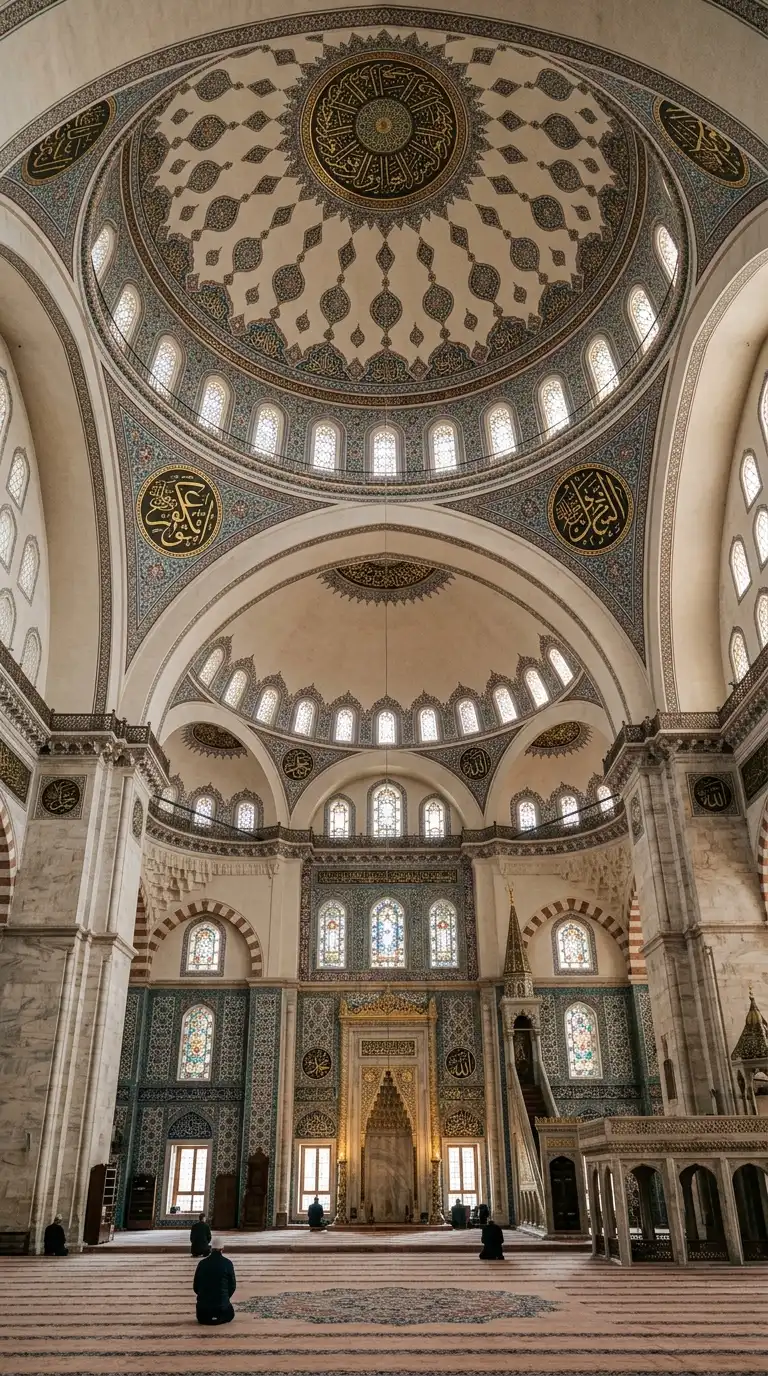
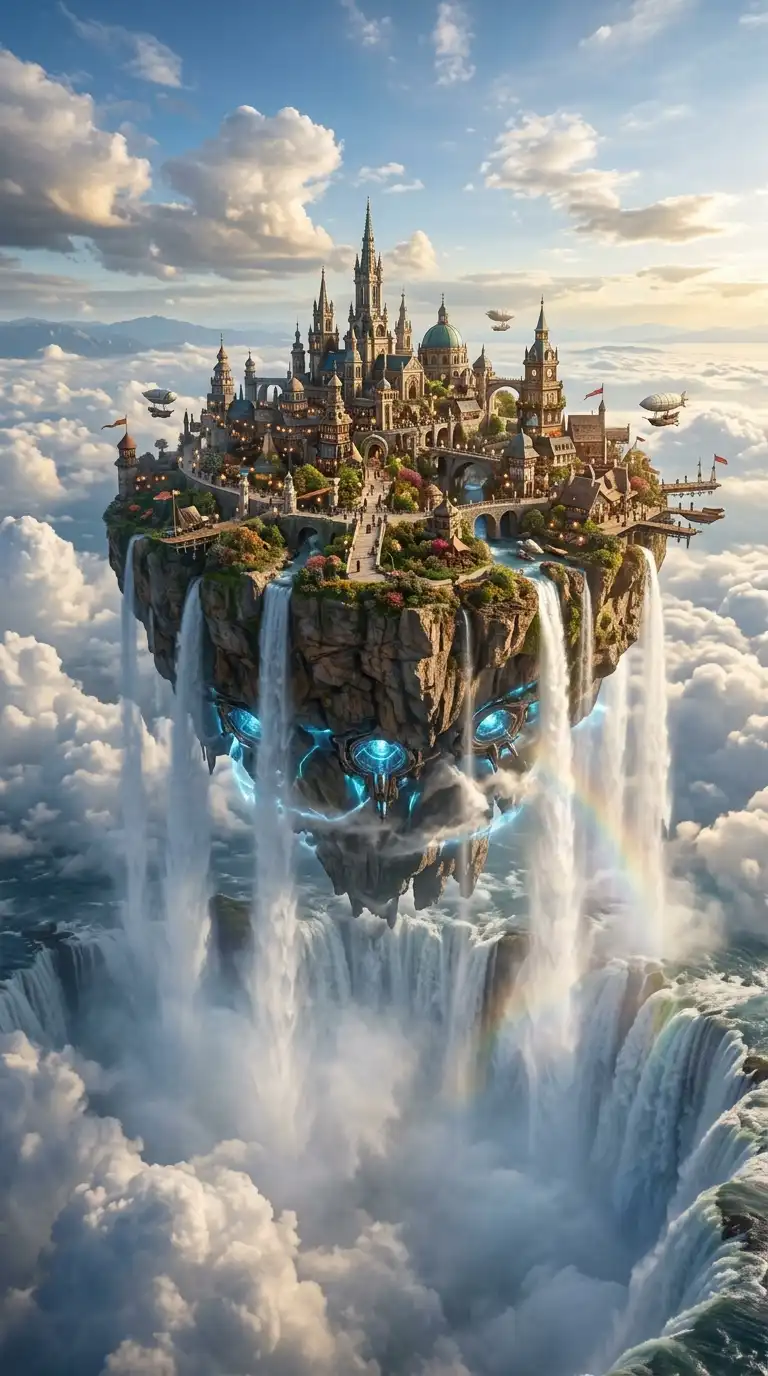
A concept board is a visual statement of intent. It is the first page of a project, the image that sets the tone before a single plan is drawn. Unlike a presentation board that explains a finished design, a concept board explores possibilities. It assembles images, textures, colours, and fragments to suggest a direction — not to define it.
These 14 concept board architecture ideas span material studies, atmospheric collages, diagrammatic explorations, and hybrid techniques. Each idea includes defining characteristics, design principles, and applications for architectural storytelling.
1. The Material Palette Board
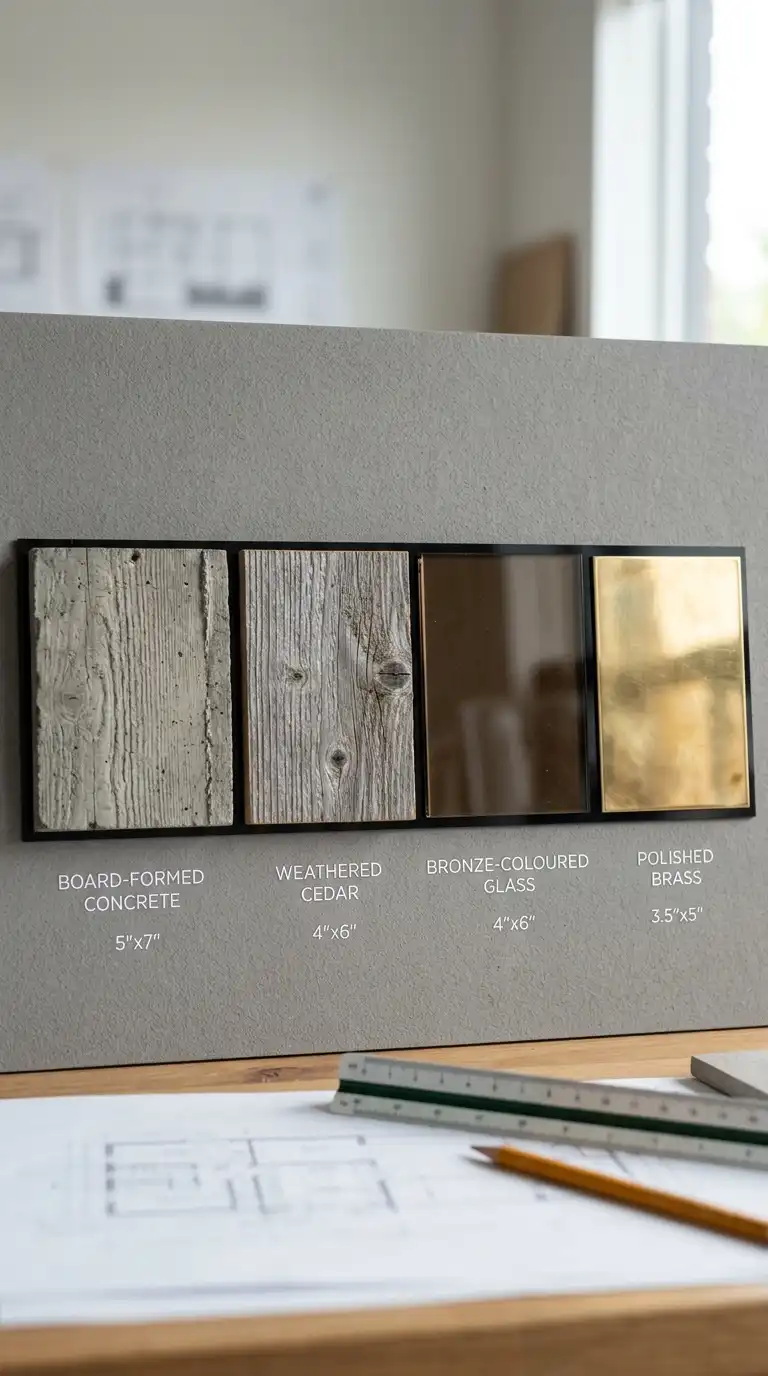
The material palette board focuses entirely on the physical stuff of architecture: stone, wood, glass, metal, concrete, textile. Samples are arranged in composition, sometimes photographed, sometimes physically attached.
The board shows how materials relate to each other — how rough concrete feels next to smooth oak, how warm brass contrasts with cool glass. The emotional effect is tactile, sensual, and materially intelligent.
Quick Tips
- Include actual material samples where possible, not just photographs.
- Arrange materials in the same proportions they will appear in the building.
- Label each material with name, supplier, and finish.
2. The Atmospheric Collage Board
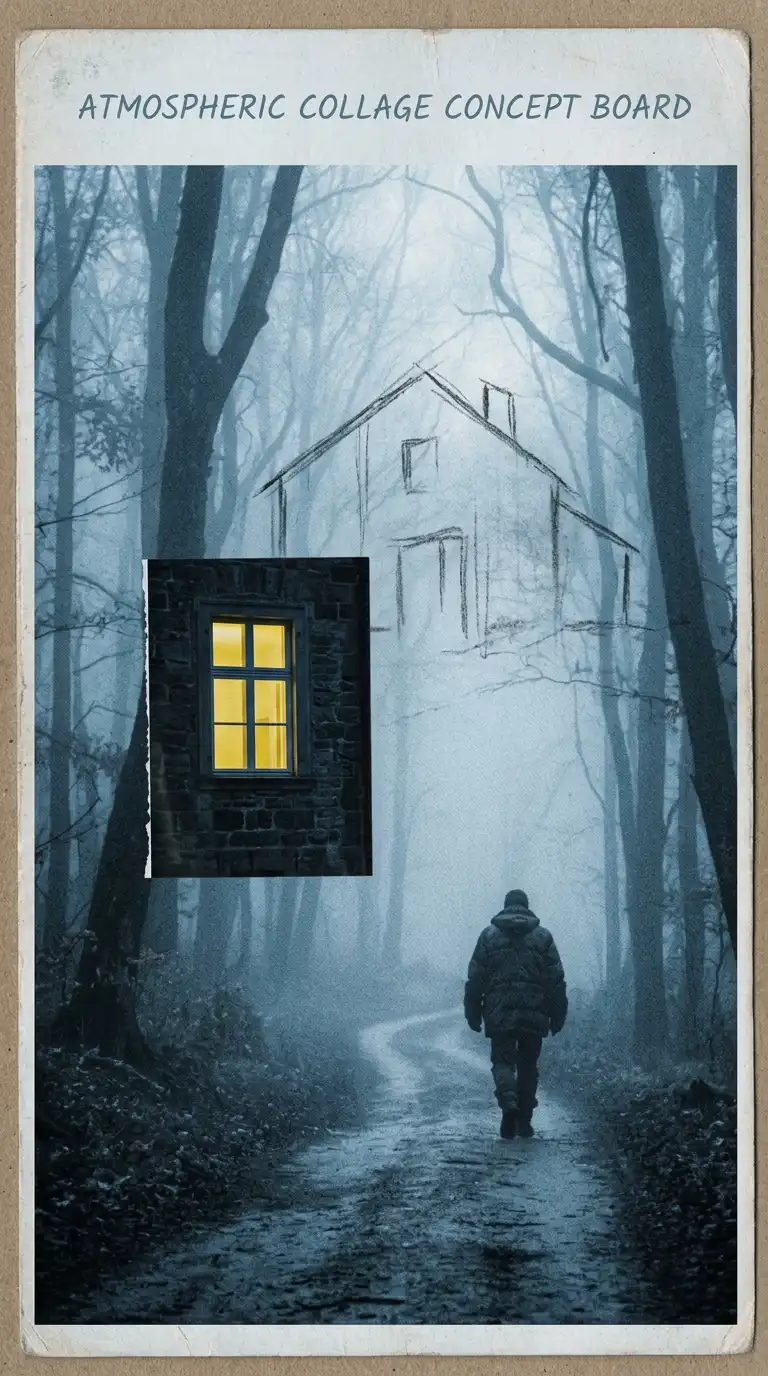
The atmospheric collage board prioritises mood over accuracy. It combines found images — a foggy forest, a dramatic sky, a shadowed interior — with fragments of the proposed building. The building may appear only as a silhouette, a texture, or a suggestion.
This board type communicates how the space should feel: calm, dramatic, mysterious, joyful. The emotional effect is poetic, evocative, and open to interpretation.
Quick Tips
- Start with a found image that has the desired atmosphere.
- Add architectural elements sparingly — a single window, a column, a stair.
- Use colour grading to unify disparate images.
3. The Diagrammatic Concept Board
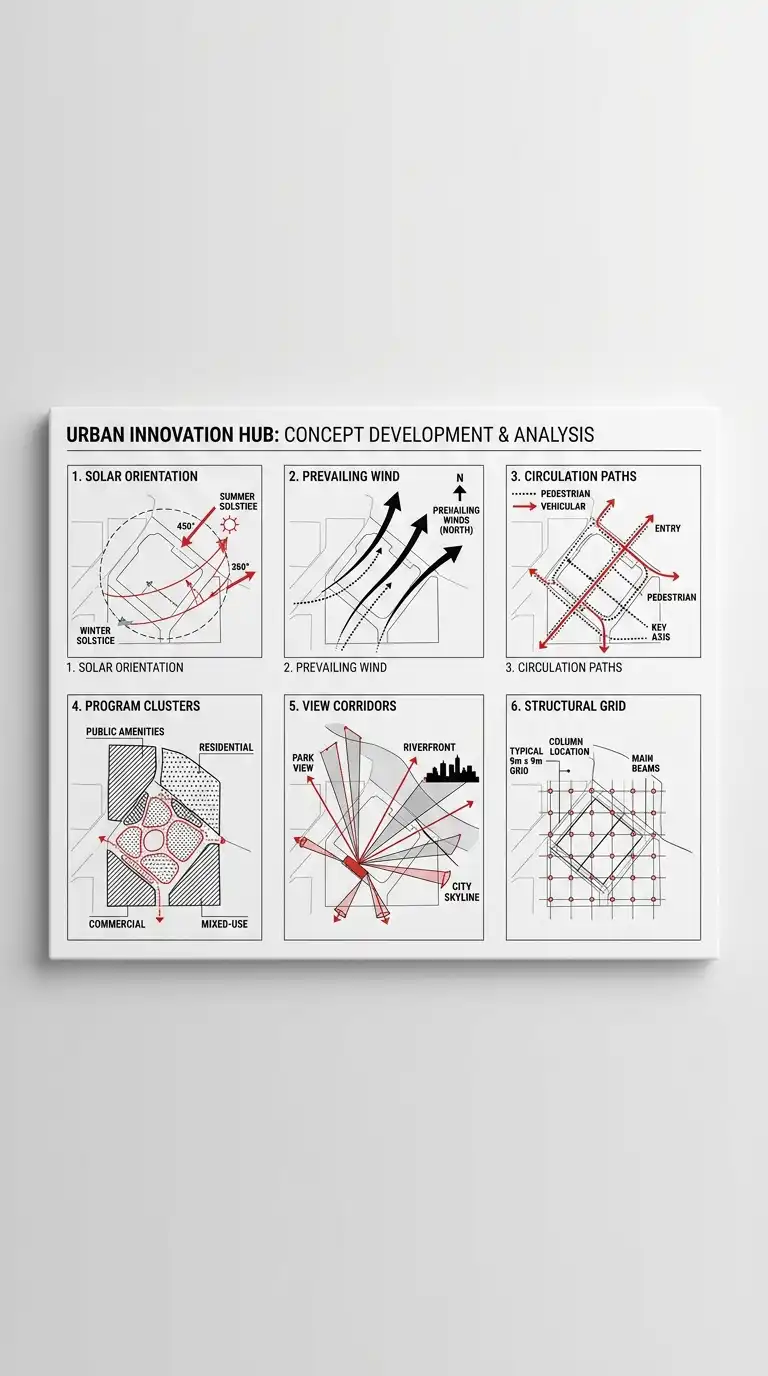
The diagrammatic concept board uses abstract diagrams to explain the organising ideas of a project. No building yet — just forces, flows, and relationships. Arrows show movement. Circles show gathering. Lines show view corridors.
The diagrams are simple, graphic, and carefully composed. Colour is used sparingly to highlight key ideas. The emotional effect is analytical, clear, and intellectually rigorous.
Quick Tips
- Use no more than three colours on the board.
- Each diagram should explain a single idea.
- Arrange diagrams in a sequence that tells a story.
4. The Precedent Collage Board
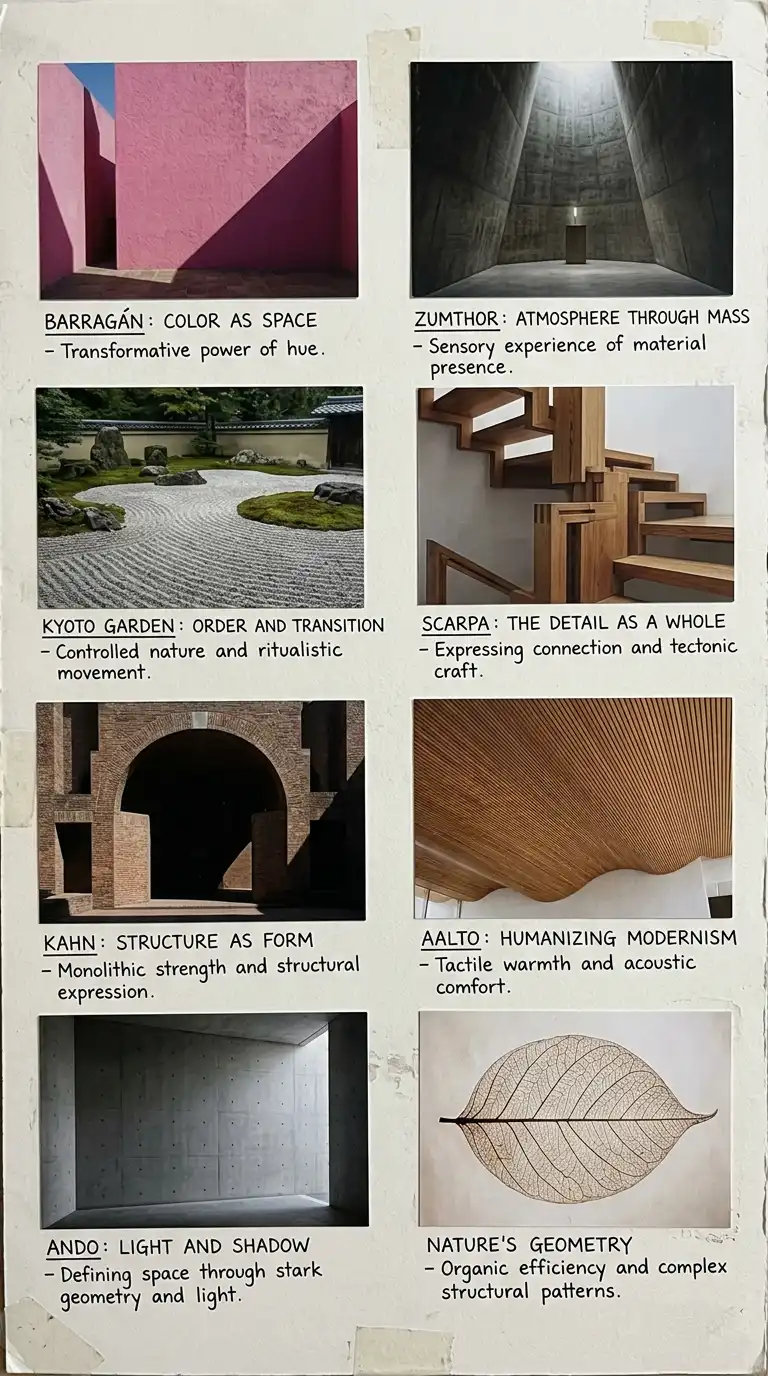
The precedent collage board assembles images of existing buildings, landscapes, or objects that inspire the project. A museum project might include images of a Luis Barragán wall, a Peter Zumthor chapel, a Japanese garden, and a Carlo Scarpa detail.
The board does not copy these precedents. It learns from them. The emotional effect is erudite, respectful, and generative.
Quick Tips
- Include 4-8 precedent images, no more.
- Annotate each image with a short note explaining what you are learning.
- Arrange precedents by theme, not by building type.
5. The Hand-Drawn Sketch Board
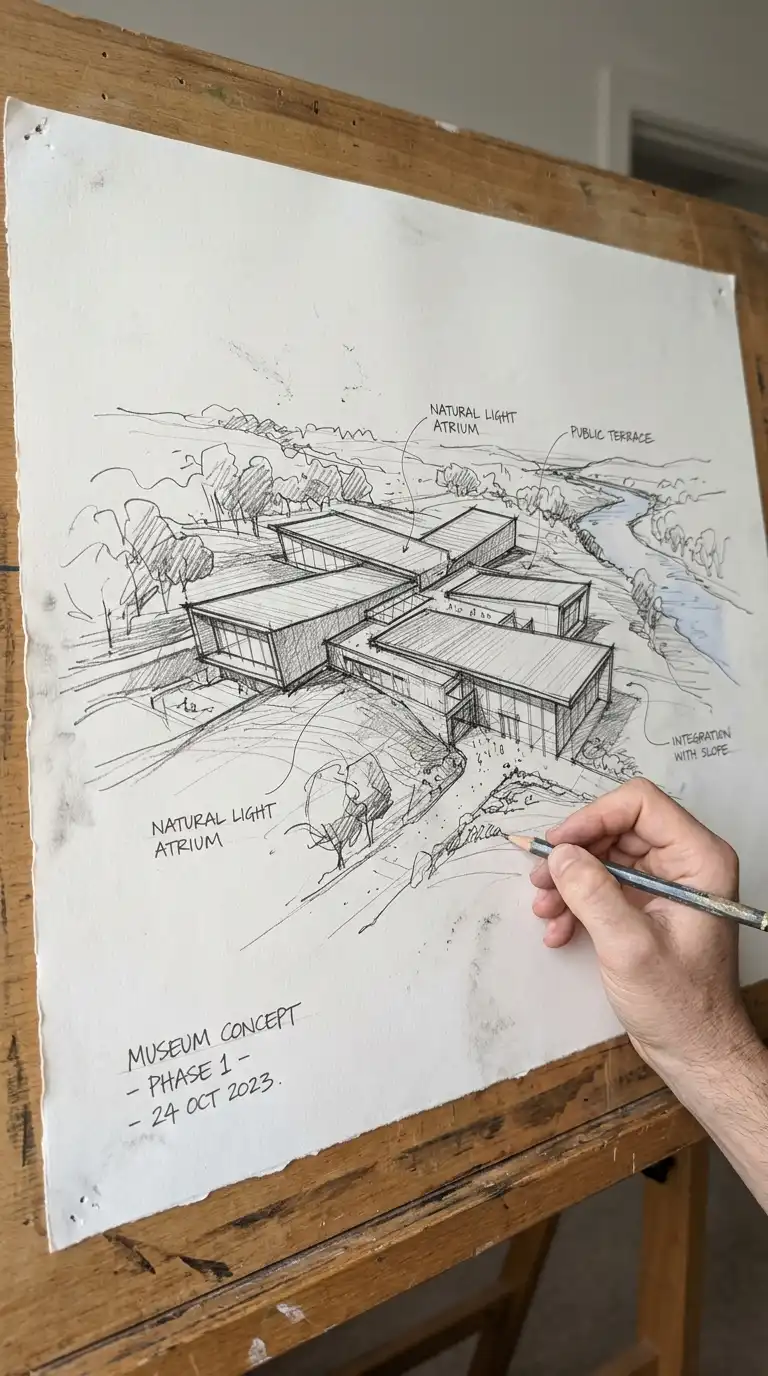
The hand-drawn sketch board celebrates the architectural sketch as concept. The board features one large, expressive drawing — loose, energetic, and obviously not traced. The sketch shows not only the building but the architect’s hand.
Typography is handwritten or absent. The emotional effect is personal, energetic, and authentic.
Quick Tips
- Use a large sheet of paper and draw at final board size.
- Scan at high resolution (300dpi minimum) to preserve line quality.
- Do not over-clean the sketch — preserve erasures, smudges, and corrections.
6. The Colour Field Board
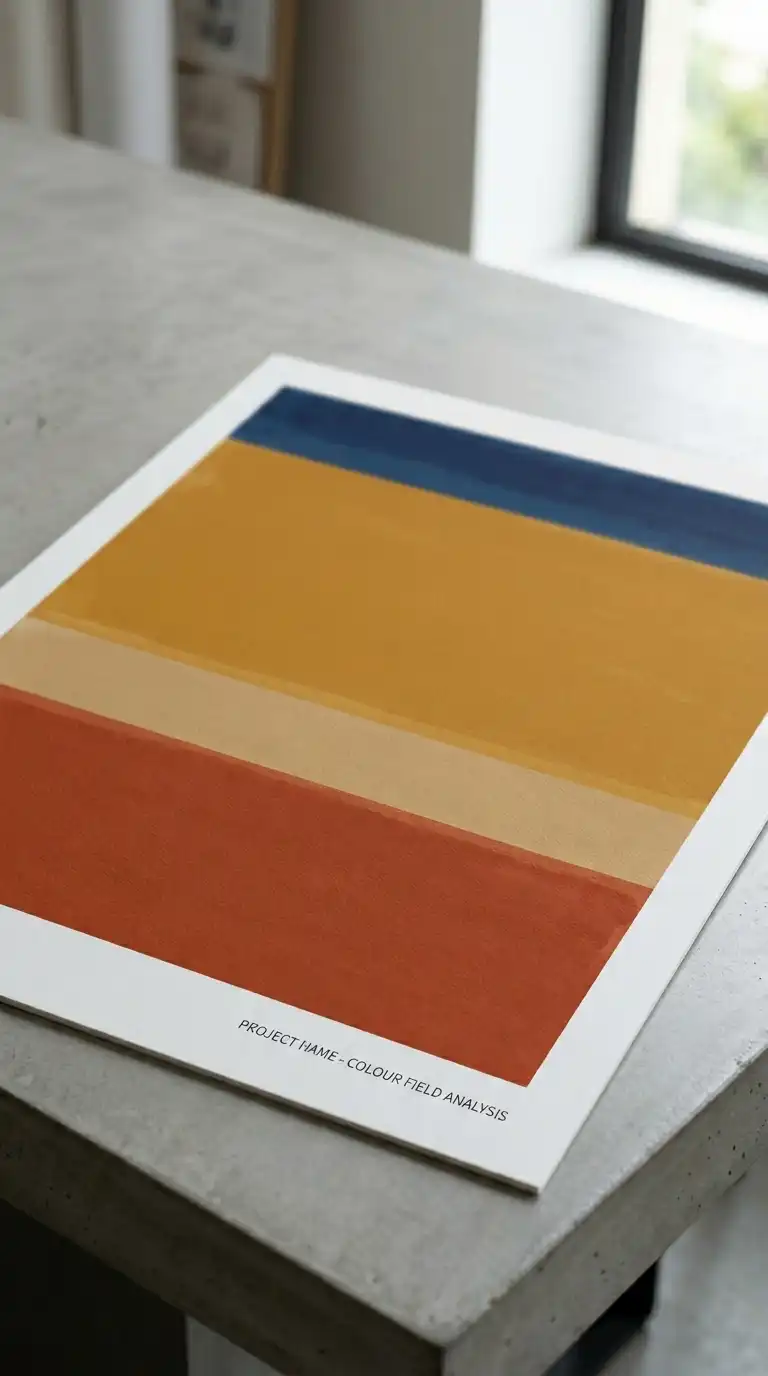
The colour field board uses large areas of flat colour to evoke the atmosphere of a project. The building itself may be absent, represented only by its colours, proportions, and geometries. A project for a desert house might use bands of ochre, terracotta, and deep blue.
The emotional effect is abstract, atmospheric, and emotional. The board does not show the building — it shows how the building feels.
Quick Tips
- Extract colours from the site, climate, or material palette.
- Use the building’s proportions to determine colour field divisions.
- The project name can be the only representational element.
7. The Site-Specific Collage Board
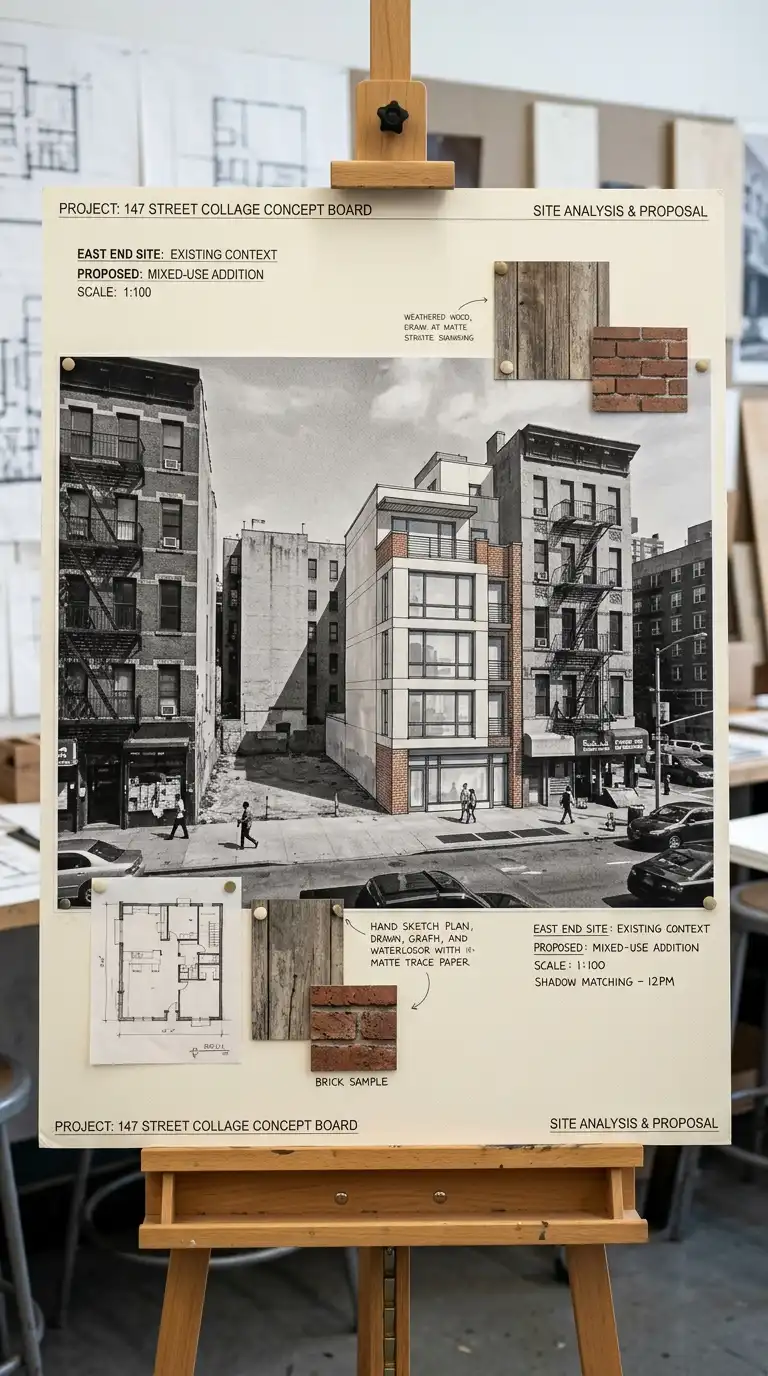
The site-specific collage board overlays the proposed building onto a photograph or drawing of the site. The existing site is the background. The new building is added as a collage element — a drawing, a model photograph, a silhouette.
The board shows the building in context. It answers the question: how does this belong here? The emotional effect is grounded, contextual, and respectful.
Quick Tips
- Use a high-quality site photograph or map as the base.
- The building addition should be drawn or collaged at the correct scale.
- Leave the site photograph visible beneath the building.
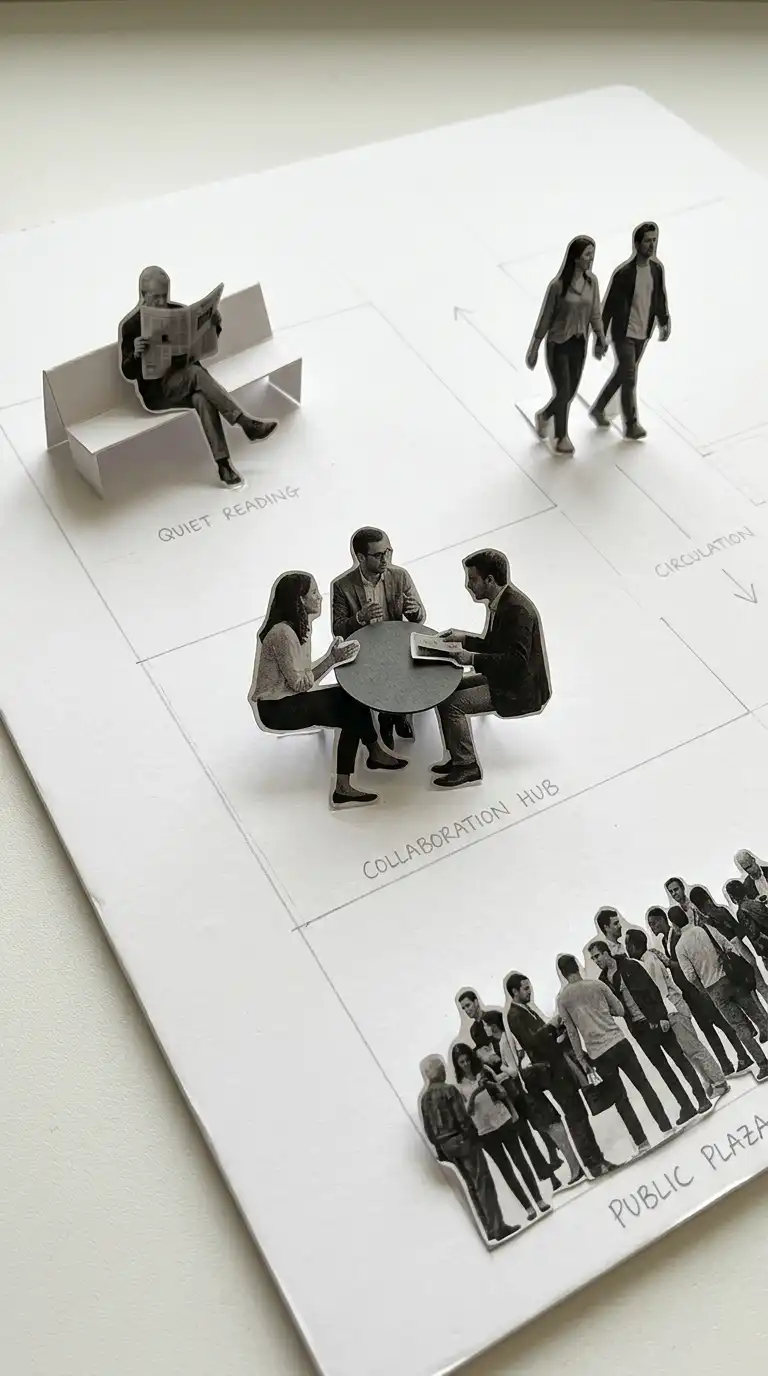
8. The Scale Figure Board
The scale figure board populates a conceptual space with figures. No building yet — just figures in relation to each other. A figure sitting alone. A group gathered. A crowd moving. The space between figures suggests architecture.
This board type explores human scale and social interaction before form is determined. The emotional effect is human, social, and programmatically specific.
Quick Tips
- Cut figures from magazines or photograph friends in poses.
- Figures should be at the same scale as each other.
- The arrangement of figures should suggest a program.
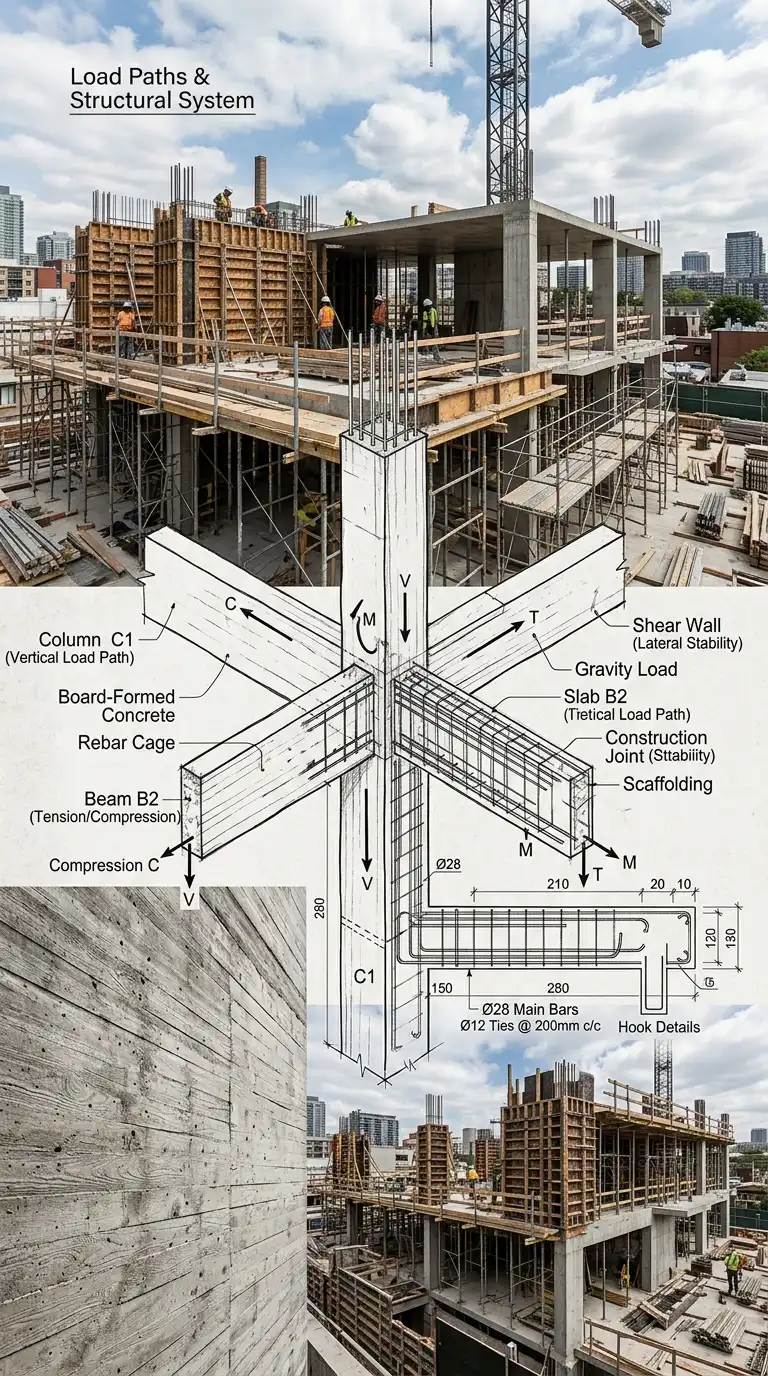
9. The Structural Concept Board
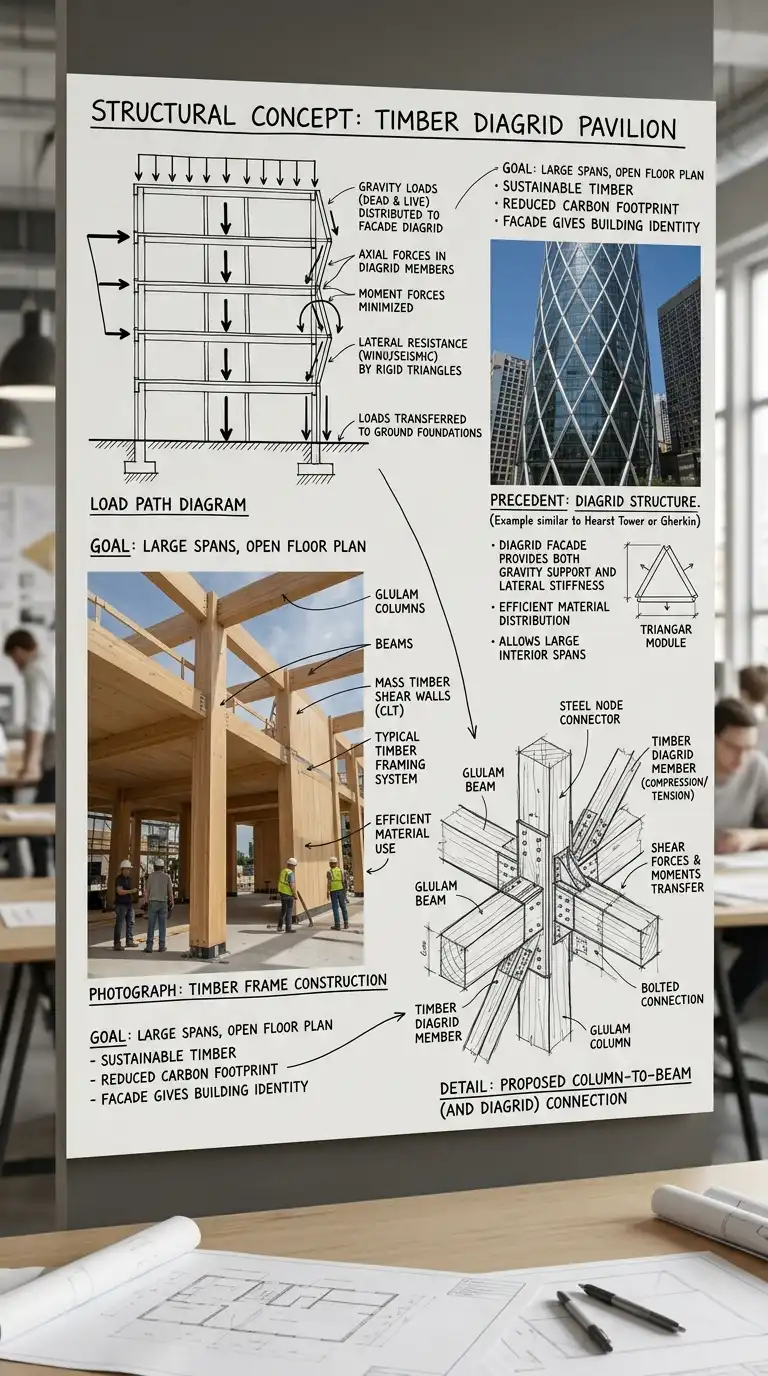
The structural concept board focuses on how the building stands up. Diagrams of forces, material tests, construction photographs, and structural precedents are assembled to explore structural logic.
The board shows that structure is not an afterthought — it is the concept. The emotional effect is honest, technical, and intellectually rigorous.
Quick Tips
- Include structural diagrams alongside material tests.
- Use construction photographs from similar projects.
- Annotate to explain the structural logic.
10. The Light and Shadow Board
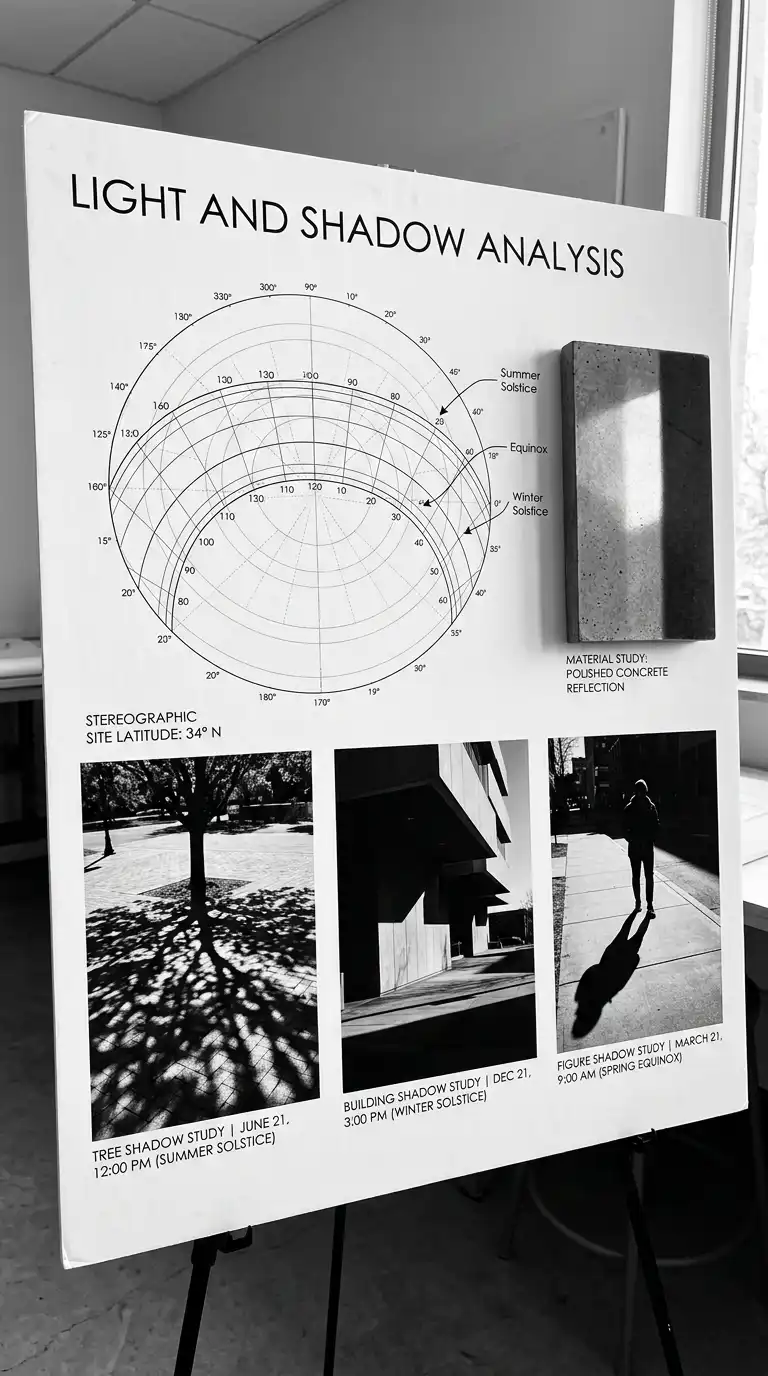
The light and shadow board studies how light falls across a building. High-contrast photographs of shadows from other buildings, sun path diagrams, and material studies are assembled to explore daylighting.
The board shows that light is a material. The emotional effect is dramatic, graphic, and technically informative.
Quick Tips
- Use high-contrast black and white images for maximum impact.
- Include a sun path diagram for the site latitude.
- Shadow studies should be at the correct time of year and day.
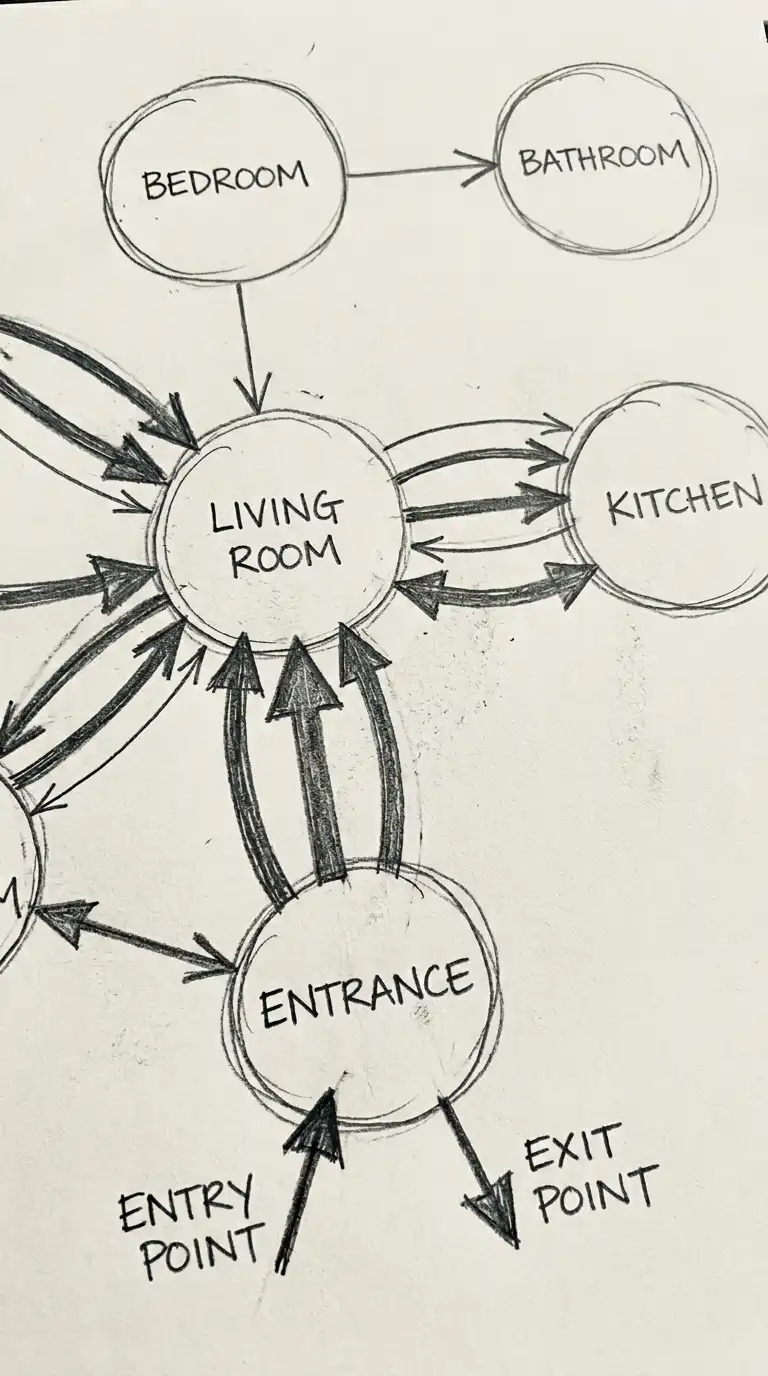
11. The Program Bubble Board
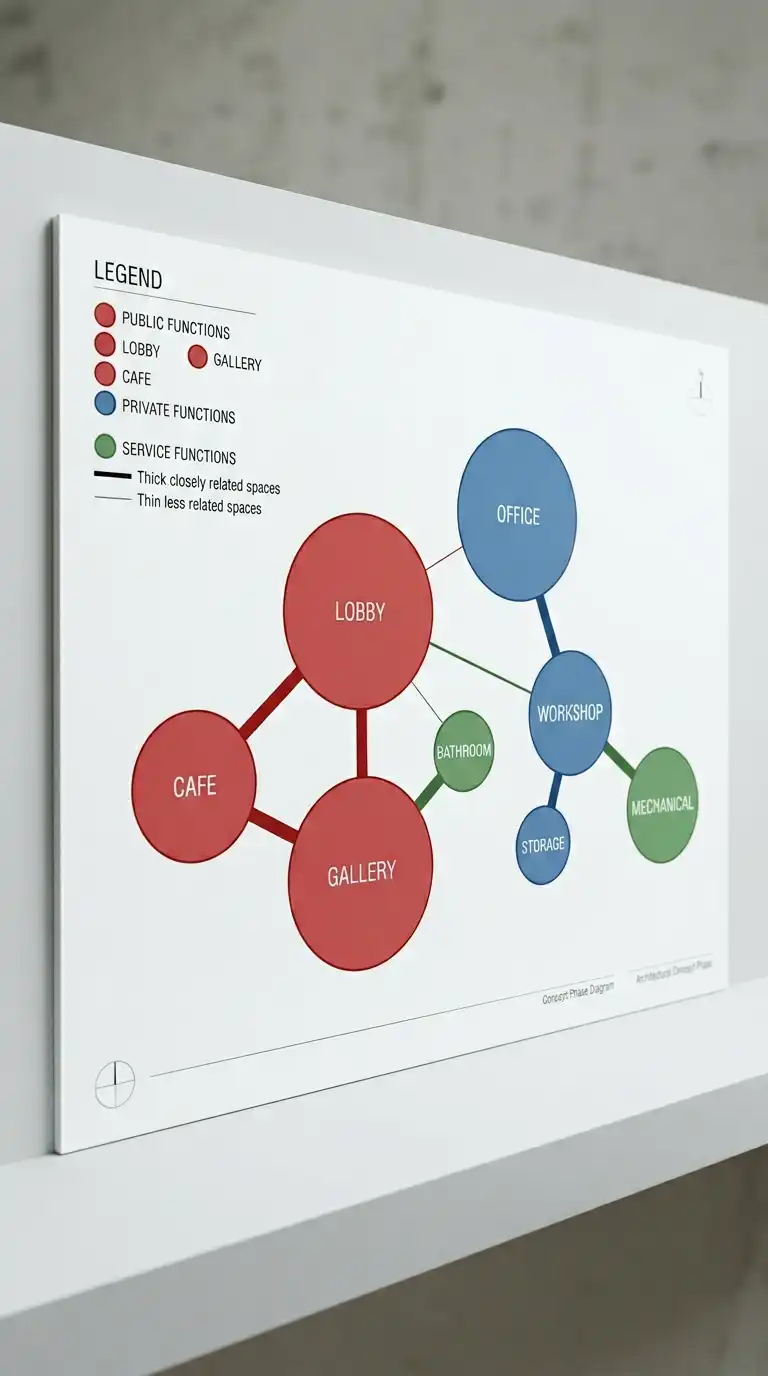
The program bubble board uses abstract circles and arrows to organise spatial relationships. Bubbles represent rooms or functions. Lines represent circulation. Overlaps represent shared space. The board is diagrammatic and colourful.
This board type explores adjacency, privacy, and flow before form is determined. The emotional effect is clear, logical, and programmatically intelligent.
Quick Tips
- Use bubble size to represent room size proportionally.
- Use line thickness to represent circulation intensity.
- Colour-code bubbles by program type: public, private, service.
12. The Material Tectonic Board
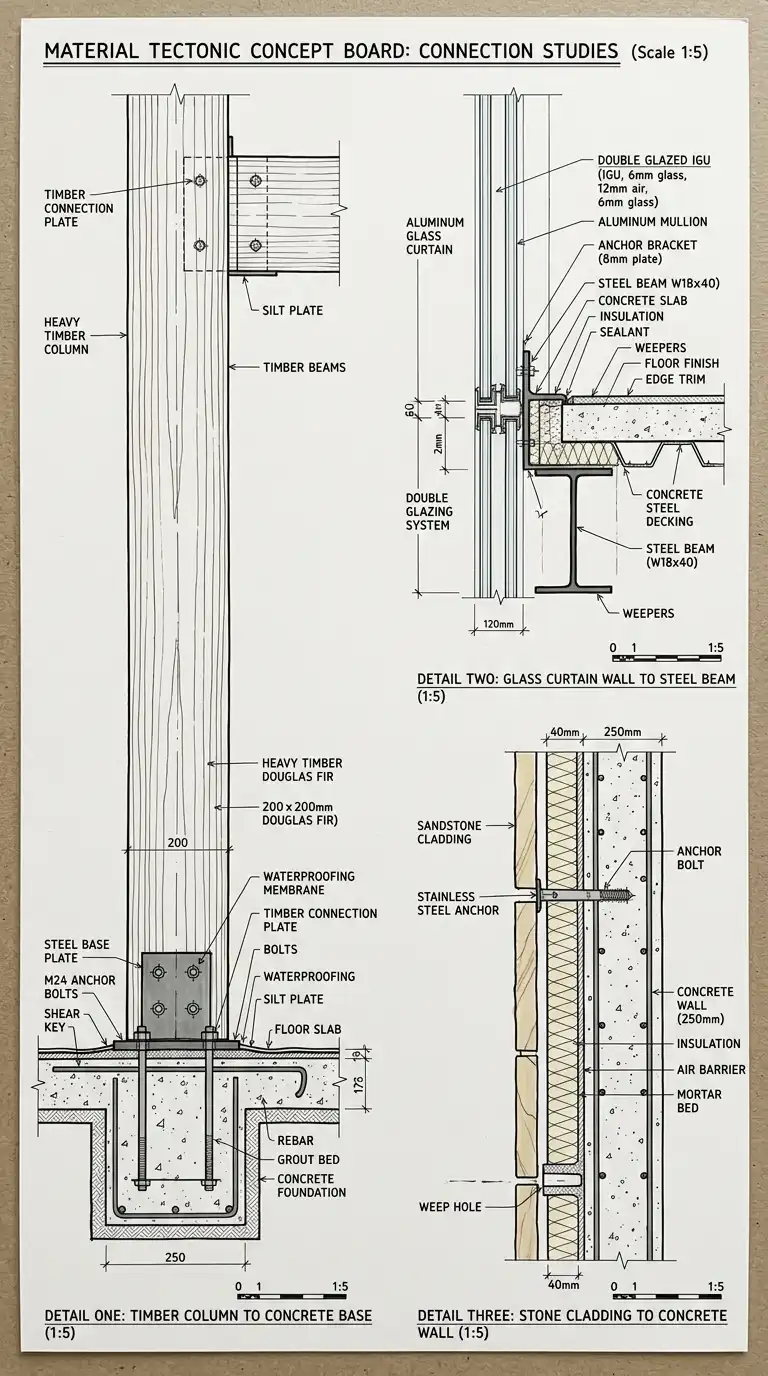
The material tectonic board explores how materials come together at joints. It shows not just what materials are used, but how they are detailed. Drawings at 1:5 or 1:10 scale show connections: concrete to timber, glass to steel, stone to earth.
The board shows that architecture is in the joint. The emotional effect is precise, tectonic, and beautifully detailed.
Quick Tips
- Draw details at a scale large enough to show connections.
- Use different line weights for different materials.
- Annotate each connection with material names and fixing methods.
13. The Historical Layering Board
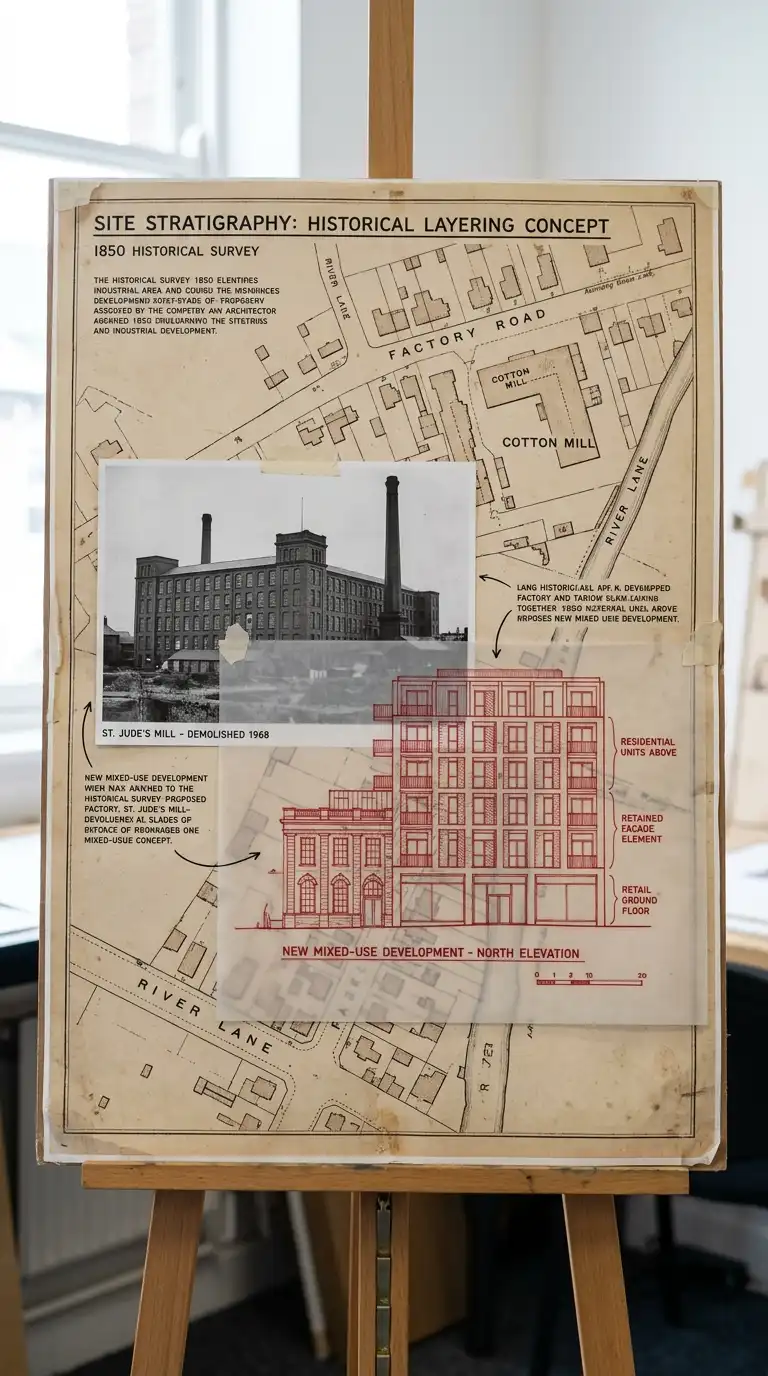
The historical layering board overlays the site’s history onto the proposed design. Historical maps, old photographs, archival drawings, and the new proposal are layered together. The past is visible through the present.
This board type acknowledges that every site has a history. The emotional effect is layered, respectful, and temporally rich.
Quick Tips
- Research the site history before starting the board.
- Use archival images: old maps, photographs, postcards, paintings.
- The new design should be drawn clearly, not blended into the history.
14. The Hybrid Digital-Analogue Board
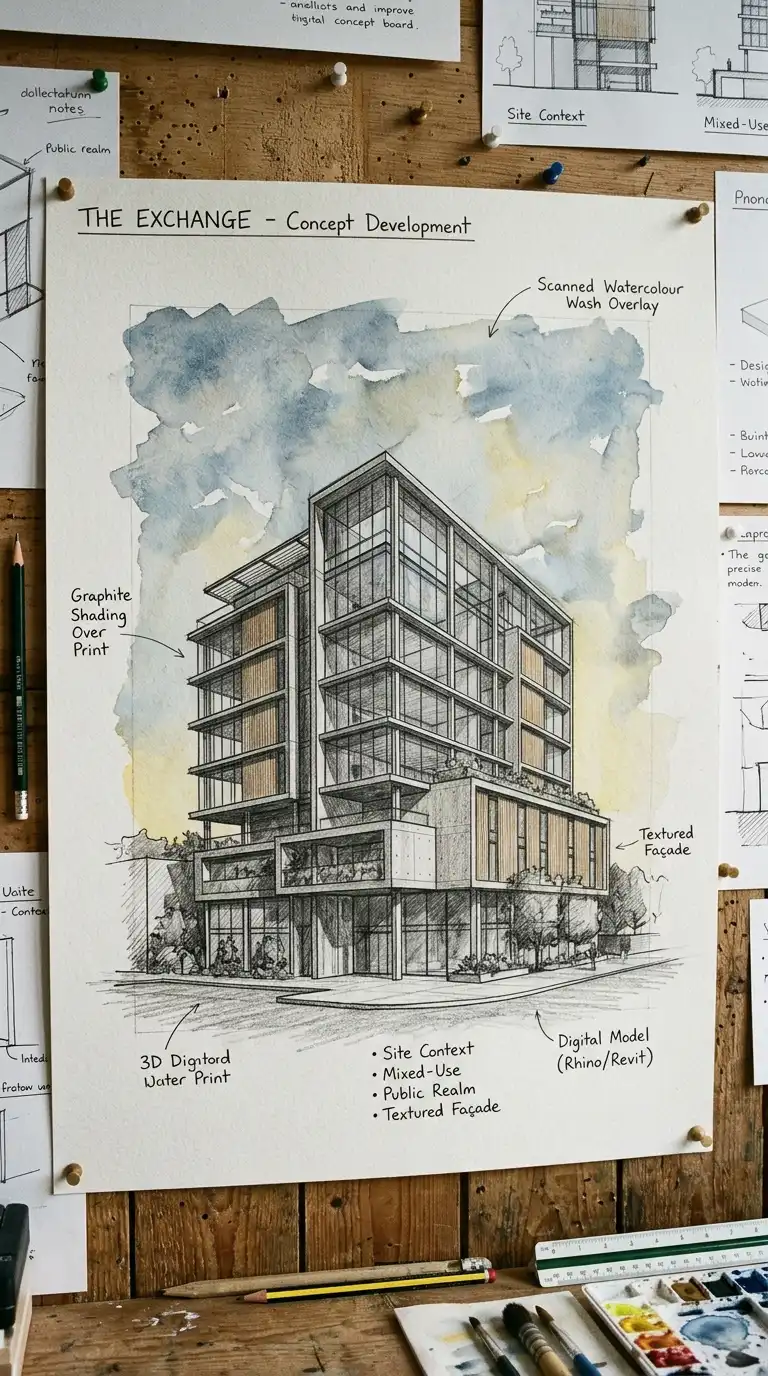
The hybrid digital-analogue board combines digital tools (3D renderings, Photoshop, vector drawings) with analogue techniques (hand drawing, paint, paper cut-outs, scanning). A 3D model is rendered flat, printed, then painted over. A hand-drawn sketch is scanned and combined with digital textures.
This board type bridges the precision of digital tools with the warmth and expressiveness of hand work. The emotional effect is hybrid, contemporary, and craft-conscious.
Quick Tips
- Start digital, print, then add hand work. Or start analogue, scan, then add digital layers.
- Use low-opacity digital layers over hand drawing so both are visible.
- Scan hand-drawn textures (watercolour, charcoal, pencil) for digital use.
Final Thoughts
A concept board is not a presentation board. It is an exploration. The best concept boards are messy, surprising, and open-ended. They raise questions. They do not answer them.
These 14 ideas are starting points, not recipes. A concept board can combine material samples with atmospheric collage. A diagrammatic board can include a hand-drawn sketch. A text-only board can be printed on tracing paper over a photograph. The only rule is honesty: the board must represent your thinking, not someone else’s.